
For the vision/full vision props, the charging port is located underneath the end cap. Depending on what type of end cap you have, accessing the port will be slightly different.
If you have vision clubs check out this page: https://flowtoys2.freshdesk.com/support/solutions/articles/6000273425-vision-club-quickstart-guide
If you have vision sticks check out this page: https://flowtoys2.freshdesk.com/support/solutions/articles/6000246219-vision-sticks-quickstart-guide
For all other vision props (poi, staff, dart, chuck, wand, dragon staff, etc.) check out the information below.
For the tube based vision props, you'll either have an flowcap - air, standard flowcap, or pod shell + sleeve. If you're unsure which one is which, check out the photo below.
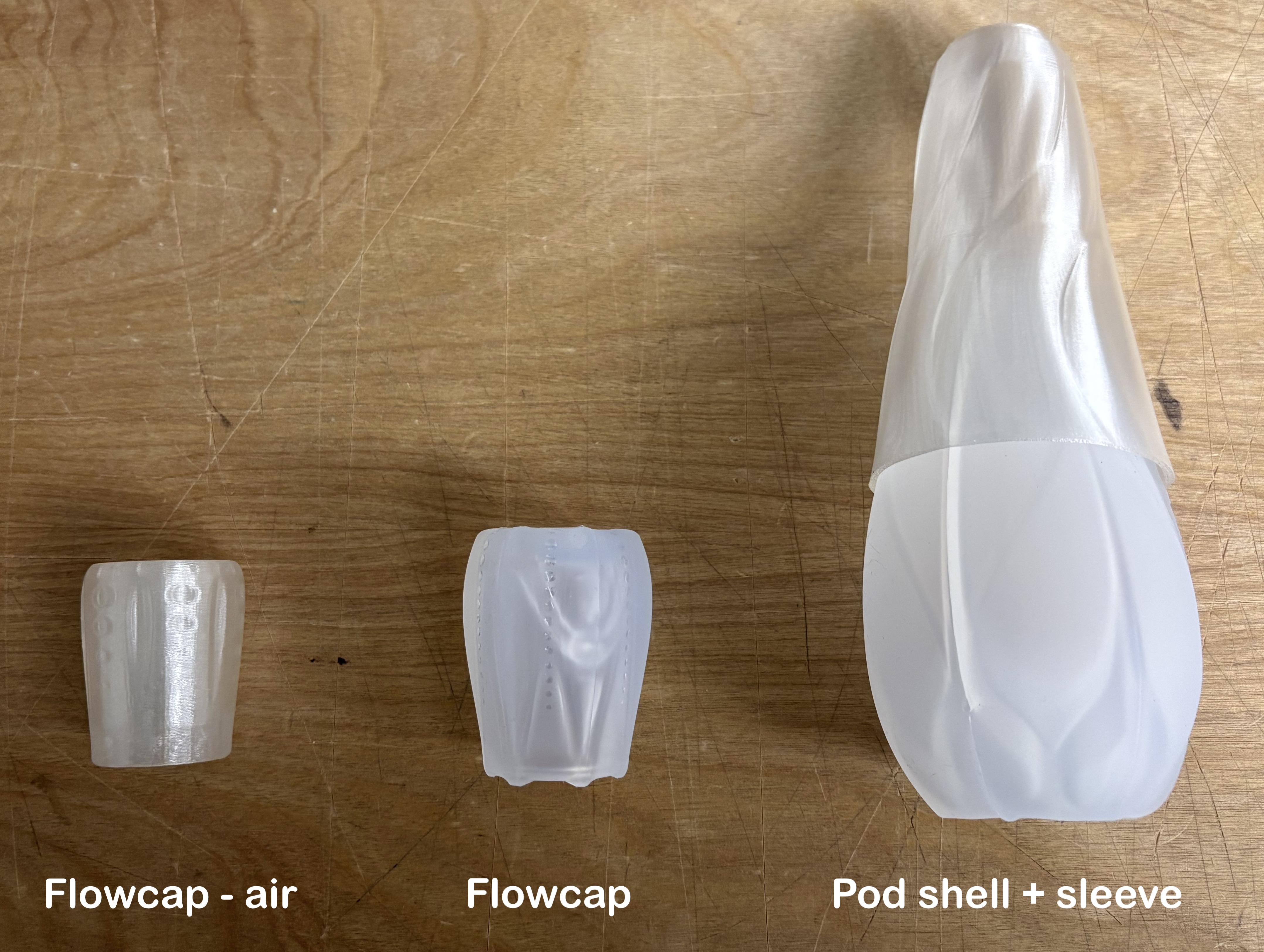
If your prop has a flowcap - air: twist and pull if off the tube
- the flowcap - air uses a friction fit rather than a mechanical connection, so installing/removing it from a tube is pretty straightforward
Pro tip: When installing the flowcap - air, make sure to press it down as far down onto the tube as possible to ensure a solid connection with the button on the LED vision core
If your prop has a standard flowcap: twist and pull it off the tube.
- For some helpful removal tips, check out this support page: https://flowtoys2.freshdesk.com/support/solutions/articles/6000193746-how-to-install-remove-the-flowcap
Do note: Flowcaps in vision props have a "vision cap adaptor" to enable you to activate the button from the outside of the cap. Here's what they look like: vision cap adaptor
If your prop has a pod shell + sleeve:
- Slide the sleeve off the pod shell as much as possible
- Pry the pod shell off the end tube by gripping the base of one of the pod shell petals - please watch this video to see the best way to remove the pod shell
- It is possible to tear the pod shell along the petal seam so be careful when you're removing the pod shells ;)
If you run into any trouble or have any questions, please contact us and we will do our best to help.